 Price out a Valor Fireplace with the Design Center We are happy to announce that the Valor Fireplace Design Center has received a big update this week that integrates a number of exciting new features. Dealers will now be able to log in to the Design Center to build and price out a Valor, along with additional tools to complete a quote. The full update includes: - User uploaded backgrounds.
- Login system (using the same login as their Valor dealer website login).
- MSRP pricing + price mark up tool within your dealer profile.
- Quote tools for customer information, discounts, permits, venting and more.
- Share a build using the improved email/print settings, or share a direct link.
- A new MY BUILDS section that stores user information and current/completed jobs.
- Improved logic flow when building—No more selecting "none" when building.
- Electric fireplaces category
In order to properly use the Design Center to price out your Valor Fireplace, please ensure that you follow the initial setup instructions listed below.
 1) Update Your Price Mark Up By default, the new Design Center is integrated with our standard Canadian and USA MSRP pricing that matches our price lists. In order to set your desired pricing mark up, please follow the steps below: - Log in to the Valor dealer portal.
- Using the top navigation menu, navigate to the "Edit Profile" section.
- Scroll down until you see the field for "MSRP Mark Up (%)". By default, this should be set to 0.00.
- Set your price mark up in % - For example, if you enter "30" you are adding 30% to the MSRP price.
- Once set, scroll down to the bottom of the page and click the "Update Information" button.
Your price mark up is now set within your dealer profile! If you wish to adjust this in the future, simply log back in and edit as necessary. Please be aware that you must update your profile mark up before loading the Design Center. If you attempt to change your mark up while the Design Center is already open, it may not work as intended.
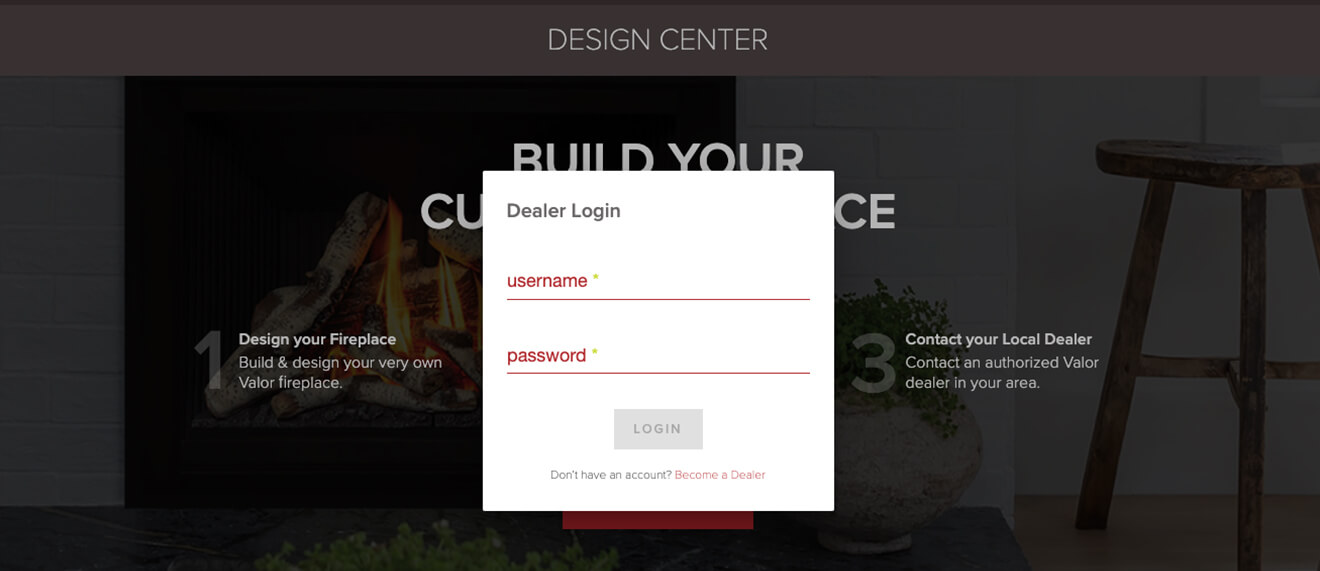 2) Logging in to the Design Center In order to showcase the dealer tools within the Design Center you will first have to log in. - Once you have set your price mark up using the steps above, visit design.valorfireplaces.com.
- Click the "Login" link located near the top right corner of the Design Center.
- Enter your username and password - note that this is the same login used when accessing the Valor dealer website.
- You are now logged in and can begin building a new fireplace. Proceed to the next step to learn more about pricing integration.
 3) Building and Pricing a Valor Fireplace You are now ready to build out and price a Valor Fireplace! Follow the steps below to get a better understanding of what's new as you browse through the updated web app. - Click the LET'S GO button to build a new fireplace. Click the MY BUILDS button to access current or completed builds.
- When starting with a new design you will be prompted to choose between building a Gas Fireplace, Gas Insert, Gas Stove, or Electric Fireplace. Click the SELECT button to begin.
- Choose the type of fuel - Natural Gas or Propane. This screen is not shown when building an electric fireplace.
- Choose your fireplace model.
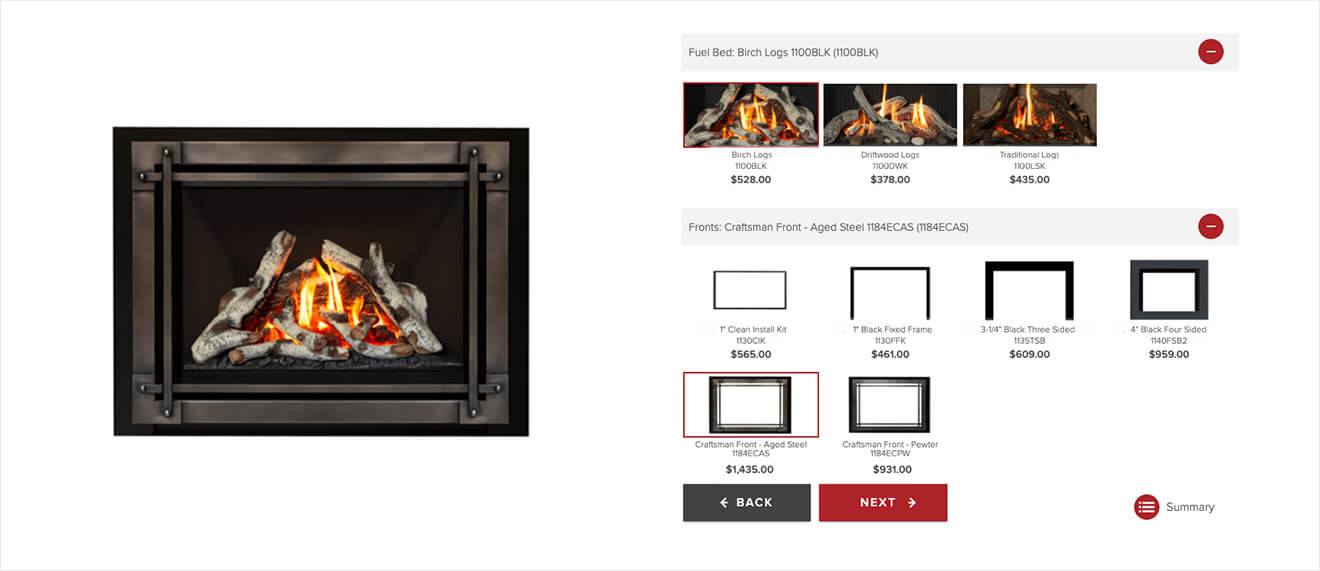
- Click through the options for engine, fuel bed, liner, fronts, etc. until you have created a fireplace. Note that new model number placement, as well as the pricing of each component displayed. Click NEXT to continue.
- Choose between a pre-supplied background image or upload your own image to be used as the backdrop of your custom build. Click NEXT to continue.
- Choose your optional accessories. Click NEXT to continue.
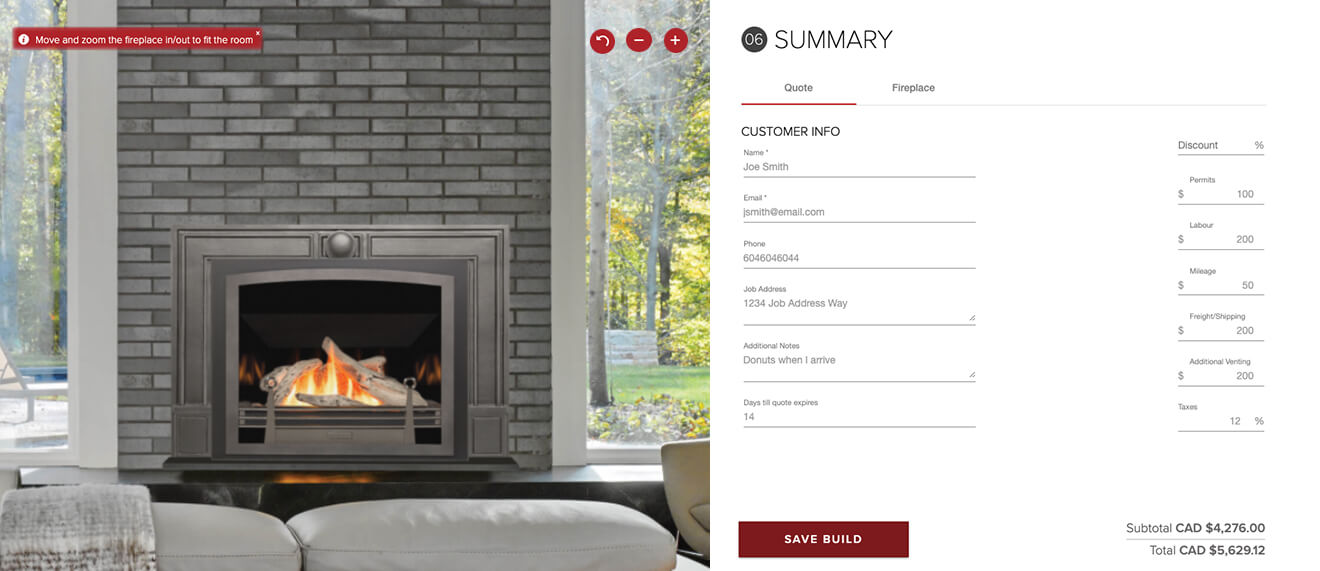
- A new Summary screen will be presented with two tabs for "Quote" and "Fireplace". In the Quote section, you can fill out the customer's name, email, phone, job address, and additional notes. On top of that you can set a discount %, permits, labour charges, mileage, and additional costs.
- Click SAVE BUILD when the information has been inputted.
- Dealers can now send the quote through a URL link, email, or by printing the page using the buttons under the SEND QUOTE text.
And that's it! You've now built out and priced your first Valor Fireplace using the Design Center. To access or delete a previous job, or mark them as complete, visit the MY BUILDS section.
Future Updates But we're not done yet! While this update brings a number of highly-requested features into the Deign Center we are still looking at additional feature updates. This will include mobile and tablet design revisions, additional dealer tools, Duravent venting, and more. Stay tuned for future updates, but for now, get building!
|